Rediscover
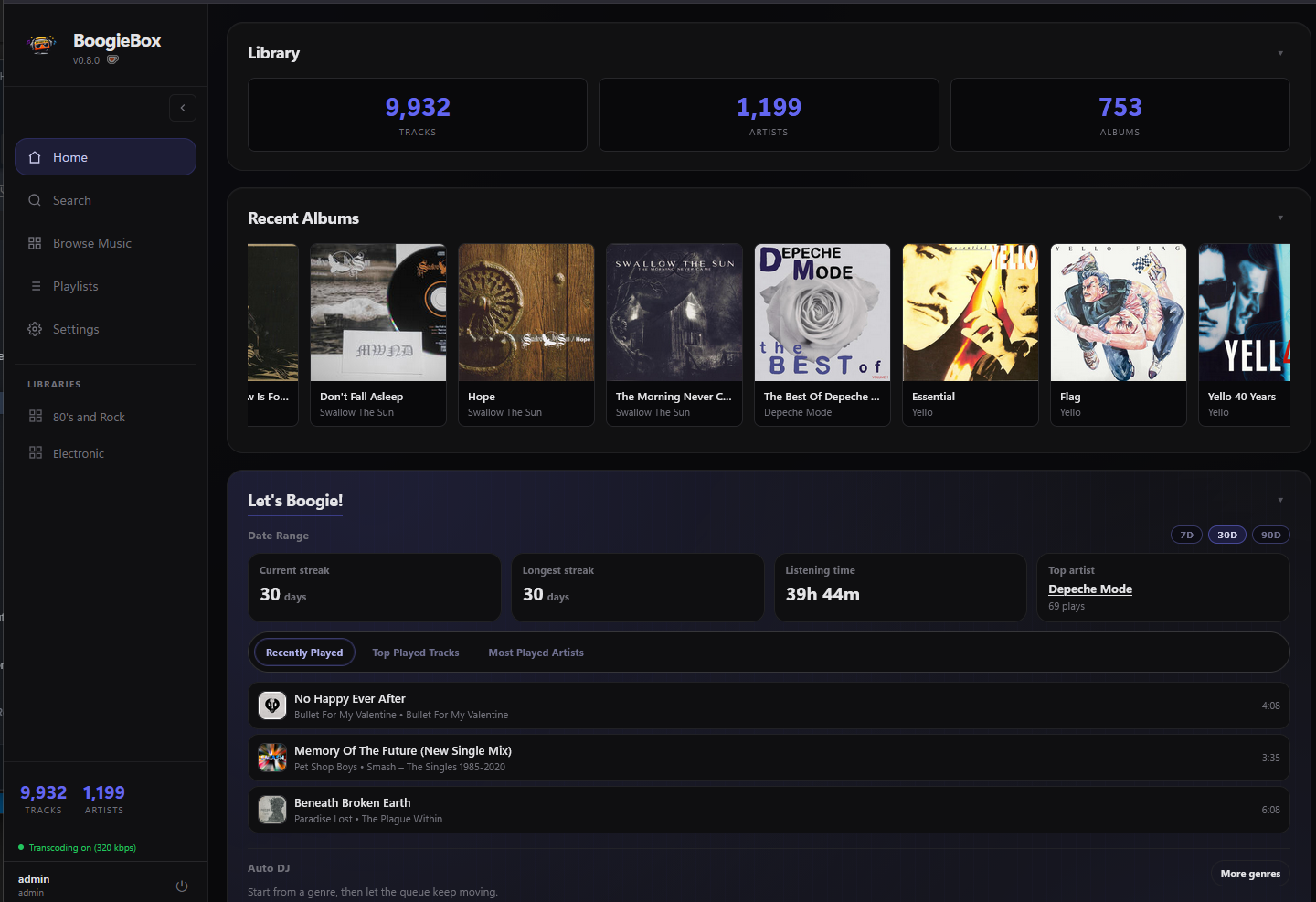
Explore artists, albums, listening history, ratings, favourites, and genres, or start an Artist Radio built from similar artists and matching moods.
 BoogieBox
GitHub
 Self-hosted music for Windows & Linux
Self hosted music server with AI DJ Mix builder.
Windows & Linux · Self-hosted · No subscription
Built for owned music
BoogieBox brings fast browsing, personal ratings, artwork, lyrics, mobile playback, and rich discovery tools to local and network music libraries.
Explore artists, albums, listening history, ratings, favourites, and genres, or start an Artist Radio built from similar artists and matching moods.
Multi-user profiles, themes, parametric EQ, smart playlists, volume levelling, karaoke lyrics, and Vinyl Mode that lets you play your music analog style (even with cracks and pops).
Run it on Windows or Linux, stream across your local network to browsers, phone apps, and speakers, and enrich your library with optional metadata providers - no fees required.
AI-powered mixing
Go beyond shuffle. BoogieMix uses AI-assisted planning and local music analysis to choose track order, plan transitions, and render continuous listening sessions from the playlists you already love.
New — Smart playlists
Describe the music you want and BoogieBox keeps the playlist filled. Add an album that fits the rules and its tracks show up on their own.
Smart playlists on Home
The Home page starts the music for you. Pick a genre from your own library, try a ready-made idea, or replay one of your smart playlists.
Subsonic apps
BoogieBox supports the Subsonic/OpenSubsonic API, so music apps like Amperfy can connect to your library and play it, no browser needed. Download albums and playlists for offline, listen through CarPlay in the car, and with the right app, even sync music to your watch.
Play On
Send playback from BoogieBox to the network speakers, streamers, and smart TVs around your house. Think Spotify Connect, but for the library you own.
Mixes library
The dedicated Mixes page keeps every BoogieMix render you've made — searchable, sortable, and ready to replay, download, or regenerate without digging back through playlists.
BoogieMix Story
BoogieMix Story turns every render into a visual timeline. Each segment is colored straight from that track's own artwork, so you can see where one song ends, where the blend happens, and where the next one takes over.
Refreshed UI
Every page got a cleanup. Bulky headers are gone, controls sit where you expect them, and your collection gets more of the screen.
Activity
Ever wondered who's listening to what, or why the server is busy? The Activity page shows admins everything going on, live.
Playback bar
Pick how the playback bar looks: classic VU needles, Vinyl Mode, or a live waveform — all showing the track's energy as it plays.
Stem analysis
Every deeply analyzed track gets a Sonic Fingerprint — a live stem breakdown visible right in the player. See what's happening at the instrument level and understand exactly where BoogieMix will place its transitions.
Inside BoogieBox
From a desktop collection to a phone in your hand, the same library stays close.
The useful details
MP3, FLAC, M4A (AAC and ALAC), OGG, OPUS, WAV, AAC, WMA, and AIFF.
Waveforms, BPM detection, Sonic Fingerprint stem analysis, listening history, and optional BoogieMix deep analysis with Demucs.
Subsonic/OpenSubsonic apps, Play On to UPnP/DLNA speakers, a built-in DLNA server, Last.fm and ListenBrainz scrobbling, internet radio, lyrics, metadata enrichment, and mobile access.
Automatic backups with one-click restore, M3U/M3U8 playlist import, volume levelling with ReplayGain, and scans that never wipe tracks from an offline drive.
Rust, React, TypeScript, Tauri 2, SQLite, and FFmpeg.
Your music is already waiting